Highway Rush 3D — How to Play
Navigate road traffic while staying aware of vehicles around you.
See the game before you play
These screenshots show the actual BrainBaazi game, not illustrations or AI-generated mockups. The interface may change as the game is updated.
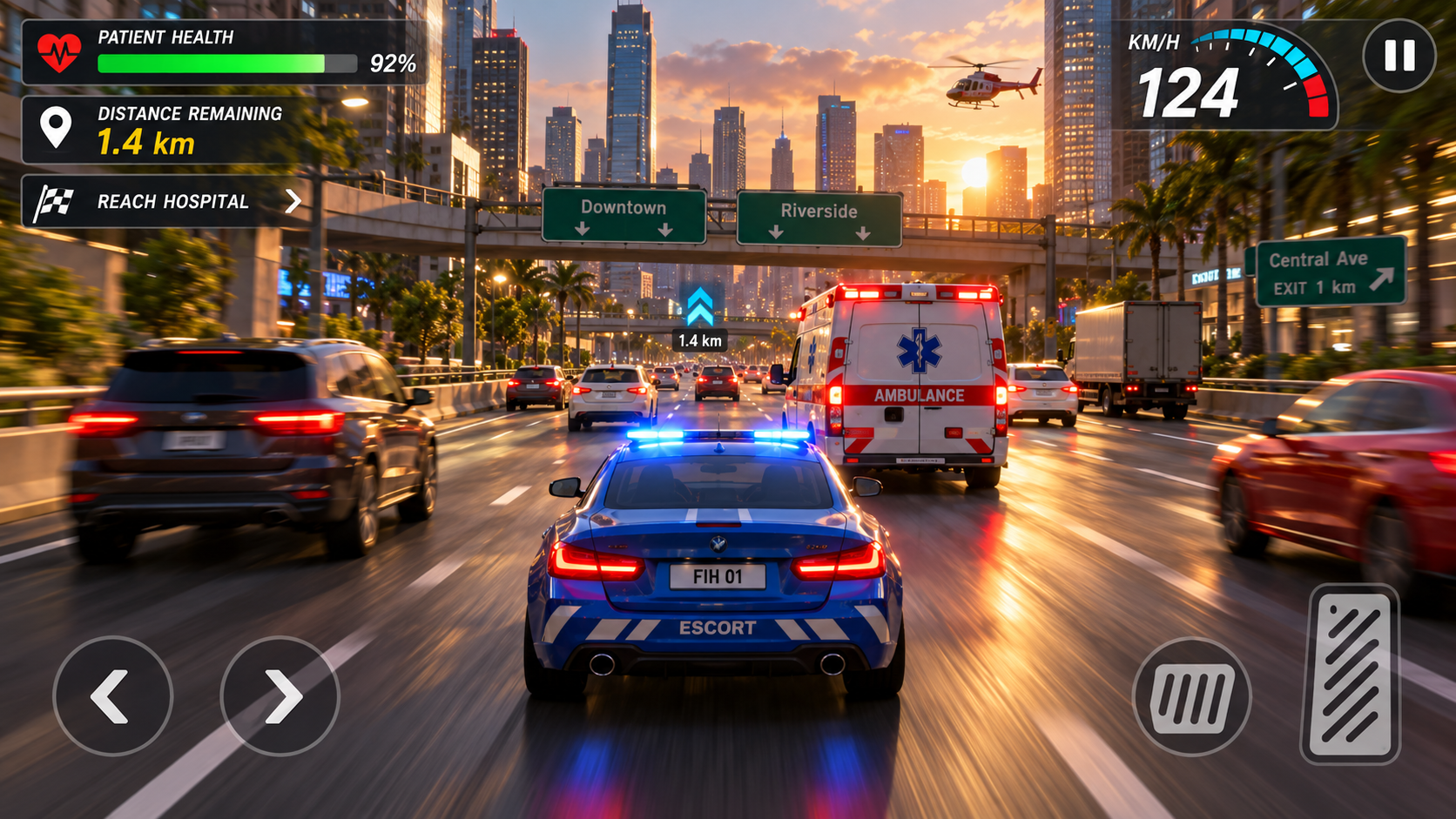
Approach the challenge
Observe traffic movement, keep enough room to react and check in-game control instructions before accelerating.
Worked example
If one lane is congested, look for a safe opening before changing position instead of reacting at the last moment.
Common mistake to avoid
Concentrating only on the road immediately ahead; making sudden moves.
Practice idea
Practice one run focused on smooth steering rather than high speed.
Drive with a plan, not a last-second reaction
Watch beyond the nearest car
The vehicle immediately ahead matters, but so do the lane gaps further down the road. Give yourself enough space to change direction safely within the game instead of repeatedly swerving between traffic.
Build consistency before speed
Use an early run to learn how your device responds to steering and acceleration. Mobile touch controls can feel different from keyboard input; use the current on-screen prompts rather than assuming a specific key layout.
Learn from each collision
After a failed attempt, identify what happened one moment earlier: did a lane become crowded, did you steer too late, or did you focus on a single vehicle? Changing one habit per run is easier than trying everything at once.
Before you begin
Desktop: WASD or arrow keys to drive, Shift or N for Nitro, Space to brake, C to change camera and P to pause. On mobile, use the game’s visible touch controls.
A practical first attempt
An early career mission asks you to reach a distance target within a time limit. Rather than holding Nitro immediately, find a stable line and use open space. The game tracks distance, overtakes, near misses, vehicle HP and combo information on screen.
Start in a mode that teaches you something
Career missions give explicit goals, while Endless is useful for familiarising yourself with lane changes. Daily challenges and special events introduce different objectives. Read the rule panel before each run instead of assuming every mode awards progress the same way.
Nitro is not a substitute for a route
Use extra speed when you can see enough road to steer safely. Once nearby lanes fill up, a brief reduction in speed can save a run. Watching two or three cars ahead makes this decision easier.
Understand the scoring feedback
The result screen separates distance, overtakes, near misses, combo and collision information. After a collision, look at the preceding traffic situation rather than only your score. The garage also exposes a choice of vehicles, but available upgrades depend on the current build.
Questions players ask
Which keys control the desktop game?
WASD or arrows steer/drive; Shift or N activates Nitro; Space brakes; C switches camera and P pauses in the inspected build.
Why did my score increase without a mission completing?
Run score and individual mission objectives are separate. Check the active mission rule and its progress indicator.
Developed by FIH Games · Presented on BrainBaazi. Guidance is editorial; the live game screen takes priority.
A controlled opening for a traffic run
Begin a run and spend the first moments observing the traffic pattern before pushing for speed. Identify where the next two gaps are, not just the nearest one. Use a short steering input, then let the car settle instead of continuing to hold the direction.
On an open stretch, experiment with a brief Nitro press and notice how much less reaction time you have. When traffic becomes crowded, return to a manageable pace. The point of the exercise is learning the difference between planned speed and panic acceleration.
Read the live mission target: Career, Endless and other modes do not necessarily reward the same behavior. The on-screen information takes precedence over these general practice notes.
Visit the Highway Rush 3D play page for a separate in-game field guide and to launch the game.
Prefer a broader explanation? Read our game and puzzle articles, or return to the full game catalog.
Controls, levels and available features can vary by game version. Follow any current on-screen instructions.
Play Highway Rush 3D →