FIH Rescue — How to Play
Explore a rescue-driving game where responding to situations and navigating safely matter.
See the game before you play
These screenshots show the actual BrainBaazi game, not illustrations or AI-generated mockups. The interface may change as the game is updated.
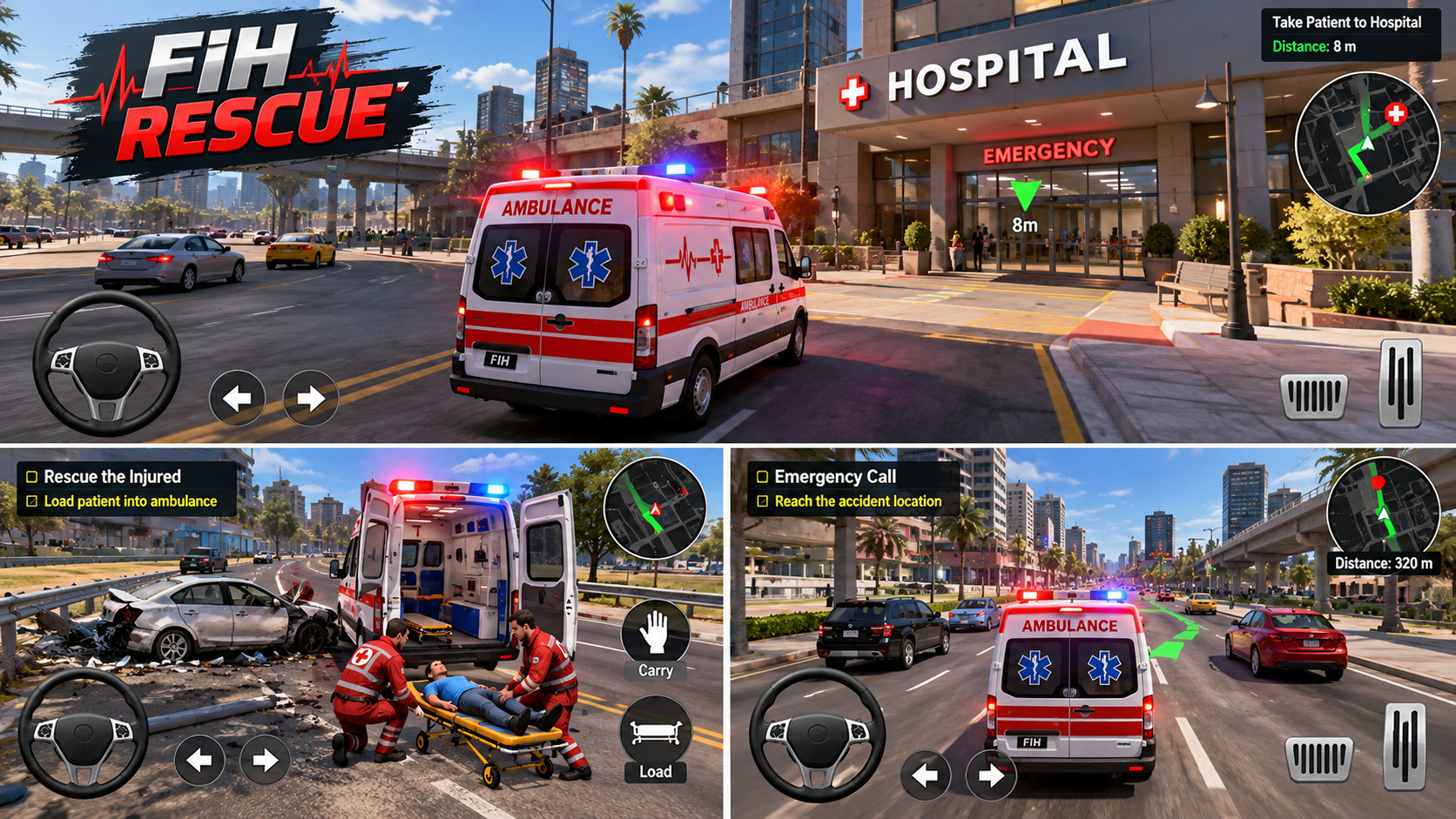
Approach the challenge
Read any mission prompts shown in-game, follow marked routes when provided and use the game’s built-in controls.
Worked example
Before moving toward a destination, check the route indicator and surrounding traffic.
Common mistake to avoid
Missing a mission instruction or assuming every vehicle uses identical controls.
Practice idea
Play one mission focusing on understanding objectives before speed.
Treat the mission prompt as your first checkpoint
Find the current objective
Before you accelerate, read the destination or mission prompt and look for the indicated route. Do not assume that every task uses the same target or order of actions.
Manage traffic deliberately
Rescue driving rewards awareness as well as movement. Use visible routes and vehicle behaviour to approach a destination. Overcorrecting near other traffic can cost more time than a cautious adjustment.
Review mission completion
If a mission does not advance, check whether the required location, stopping position or on-screen action has actually been satisfied. The deployed mission version controls the exact completion conditions; this guide does not invent a universal key or reward.
Before you begin
The game start screen lists auto acceleration, arrow keys or touch steering, Space for siren and Down arrow to brake. On mobile, use its on-screen controls.
A practical first attempt
The Morning Transfer mission starts with a distance and time goal. The ambulance follows your route through traffic. A clean route matters as much as the lead vehicle’s speed; charging ahead without monitoring the following vehicle can make the transfer harder.
Why the ambulance changes the driving problem
This is not simply a time trial. You are clearing the way for another vehicle whose progress and patient condition matter. Sudden braking or crowding traffic can leave the ambulance struggling even when the lead car is moving well.
Use the traffic signals you are given
The game describes blue arrows for siren-related plans and amber lamps for traffic-bot turns. These visual cues help you judge where traffic is about to move. Try to read them before reaching the junction.
A medical-support action has conditions
The inspected game briefing describes a limited support action that depends on straight-road braking, both vehicles slowing and a suitable gap. It is not an unlimited repair button. Read the live mission instructions for the current numbers and availability.
Questions players ask
Does the vehicle accelerate automatically?
Yes, in the inspected build. Your main decisions involve steering, siren use and braking.
Why can the mission fail when I reach the destination?
The ambulance and patient-condition requirements matter too. Check the mission briefing and following vehicle.
FIH Games rescue game · Presented on BrainBaazi. Guidance is editorial; the live game screen takes priority.
A calmer way to open a transfer mission
At the mission start, identify the distance and time objective on the current briefing. Begin by finding a steady route through traffic rather than accelerating away from the ambulance. Watch whether the following vehicle remains in a usable corridor.
Approach the next junction with the siren and traffic cues in mind. Brake deliberately when needed; the aim is to help the ambulance pass, not to make dramatic last-second turns. If the screen offers medical-support actions, read their stated conditions before using them.
Once the mission ends, review what limited progress: time, separation, collision or patient condition. Choose one aspect for the next attempt. These notes describe the inspected build; follow the live mission instructions if the game has been updated.
Visit the FIH Rescue play page for a separate in-game field guide and to launch the game.
Prefer a broader explanation? Read our game and puzzle articles, or return to the full game catalog.
Controls, levels and available features can vary by game version. Follow any current on-screen instructions.
Play FIH Rescue →